
 Čeština
  Dansk
Dansk  Deutsch
  English
  English (US)
  Español
  Français
  Italiano
  Magyar
  Nederlands
  Norsk
Norsk  Polski
  Português
  Português (BR)
  Română
  Suomi
Suomi  Svenska
  Tiếng Việt
  Türkçe
  Ελληνικά
  Български
  Русский
  Українська
  ไทย
ไทย  日本語
日本語  한국어
한국어 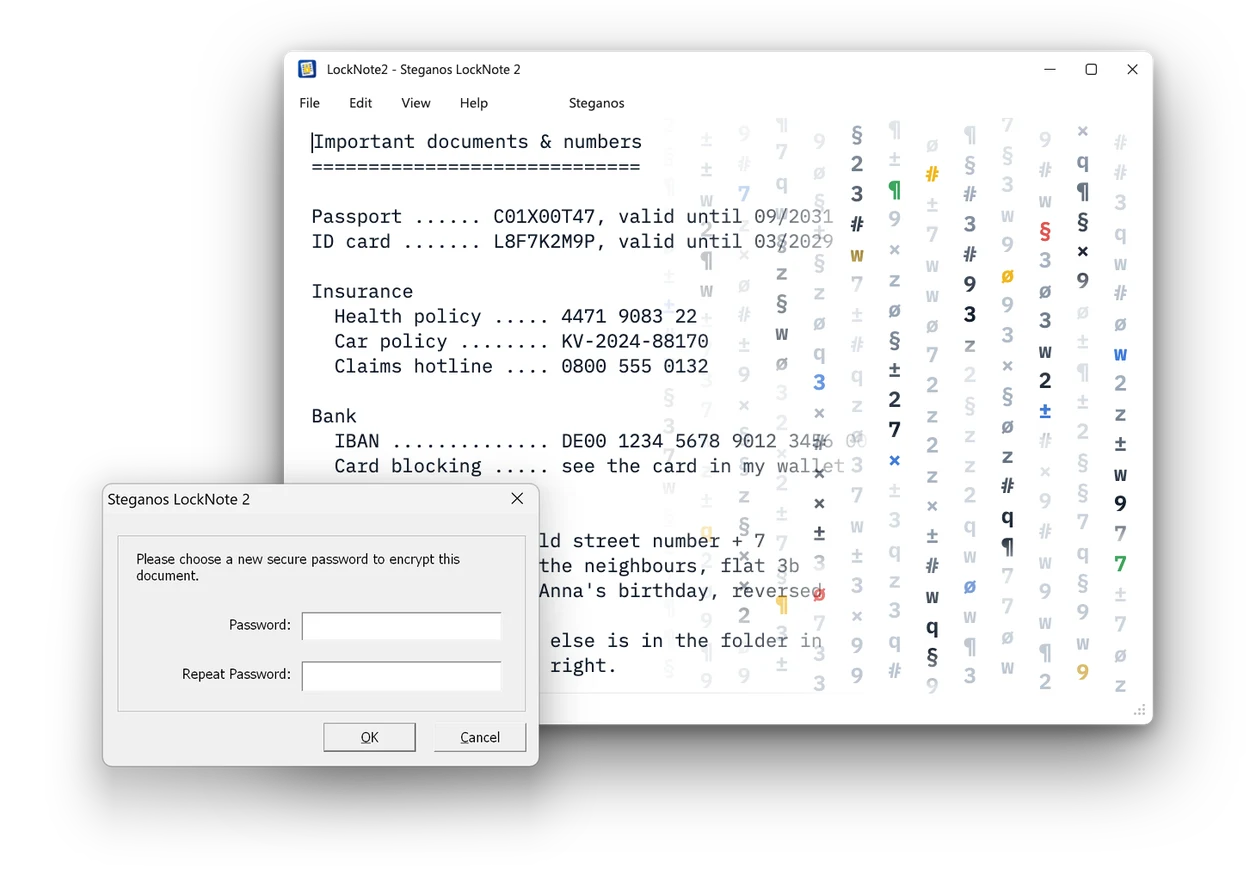

 Made in GermanySteganos.com · since 1997
 Steganos LockNote 2
Encrypt notes – free and open source
Steganos LockNote 2.0 is the modern incarnation of the popular Steganos LockNote from 2006 - with support for High Definition displays (HDPI), new fonts, support for more languages as well as upgraded, state-of-the-art encryption and password derivation technology.
Why use Steganos LockNote?
Your most valuable notes – in a single file.
Save your most valuable notes as LockNote. Hide your serial numbers, passwords, phone numbers and everyday notes in a safe place. Your information is encrypted with a password and state-of-the-art 256-bit AES encryption technology.
Encrypt texts – in a single EXE file
No installation needed – a double-click is enough.
A LockNote is a single EXE file that contains the program and your text in one. You double-click it, enter your password and start writing. When you save, LockNote encrypts your text with 256-bit AES encryption straight back into the same file. There is nothing to install and no second file to forget – a LockNote runs from your desktop, from a USB stick or from the cloud.
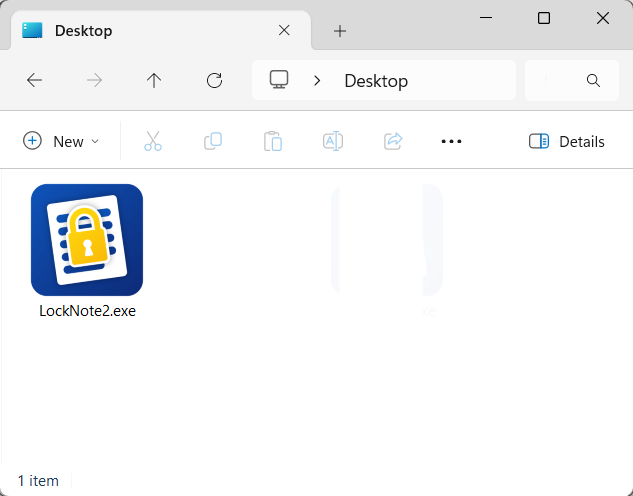
A single program file – on the desktop, on a USB stick or in the cloud.
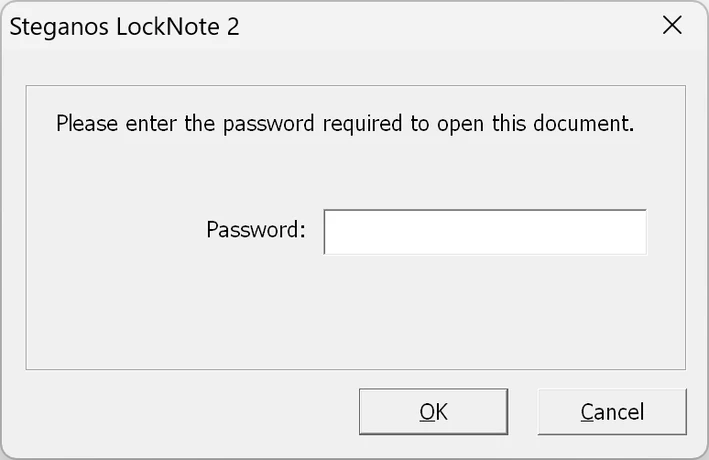
LockNote asks for your password when you open it.
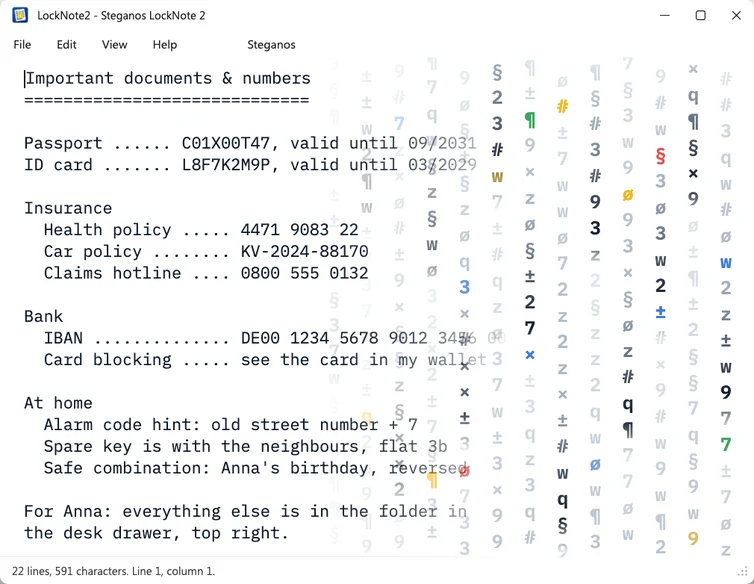
Then you write as in any editor – it is encrypted when you save.
The key features at a glance
Encrypted, portable and opened with a double-clickSecure yet simple
Double-click a LockNote and enter your password – and your text is right there.No installation required
Move LockNotes wherever you want – they take up hardly more space than an unencrypted document.Drag & Drop
Encrypt TXT files and other text files by dragging them into a LockNote window – it happens automatically.Ten program languages
All languages are in the same file and can be switched in the menu at any time.Frequently asked questions about encrypting texts
Languages, security, system requirements and licence at a glanceWhich languages does LockNote 2 come in?
 English
- German
 Spanish
 French
 Italian
 Dutch
Dutch Polish
 Portuguese
 Russian
 Swedish
How secure is the encryption?
Can I hide texts with LockNote?
Do I need to install anything?
Is encrypting texts really free?
LockNote 2 in comparison
From an encrypted note to the complete suite – two of the three programs are free.
LockNote protects your notes. Encrypt, Hide & Share encrypts individual files and can even hide them in images or sounds. And if you want to protect photos, documents and passwords for good, Steganos Privacy Suite takes care of that.
| LockNote 2 | Encrypt, Hide & Share | Privacy Suite | |
|---|---|---|---|
| 256-bit AES encryption | ✓ | ✓ | ✓ |
| Write notes and save them encrypted | ✓ | ✓ | ✓ |
| Encrypt individual files | – | ✓ | ✓ |
| Encrypt entire folders | – | via in-app purchase | ✓ |
| Hide files in images or sounds | – | ✓ | – |
| Encrypted safes as a Windows drive | – | – | ✓ |
| Password manager with autofill | – | – | ✓ |
| Usable without installation, portable anywhere | ✓ | – | – |
| Open source under the GNU General Public License v2 | ✓ | – | – |
| Availability | Direct download and Microsoft Store |
Microsoft Store | Direct download |
| Price | Free | Free | Annual subscription |
Our recommendation
Two Steganos programs that extend LockNote
Encrypt, hide, share.
Free
Digital safe & password management.
Password Manager + Data SafeShare files encrypted – or make them invisible
Share AES-encrypted texts and files easily by e-mail or cloud, or hide your data in images or music. The app is free and available exclusively from the Microsoft Store.
Protect everything, not just notes
Encrypt not only notes, but also photos, documents, passwords and all data that is important to you. Steganos Password Manager and Steganos Data Safe are included in the suite as full versions.